
Contact Us

Follow Us

📖 Knowledge Base

Need a Hand?
Learn How to Apply

Everything you need to apply for your new home on the Quattro Rentals app: a video walkthrough, simple steps and answers to common questions.

Watch the Video

Home › Knowledge Base

Video guide

How to apply on the app

Watch the full walkthrough, or tap a step to jump straight to that part of the video.

See "Please fill in all fields and upload all required documents!"? Scroll through the form for any empty field (the Planned Move In date is easy to miss) and check all 5 documents have a green tick.
Before you start

Have these ready as PDFs

You won't be able to apply without these documents. Save them on your phone in PDF format before you open the app.

Good to know

  • No semester contracts. Contracts run from 1 February to 30 November.
  • Credits are applied in the same year. Limited electricity is included as per contract.
  • Facial access is denied from February if top-ups, cash payments or appliance fees are outstanding.
  • Copy of Student ID
  • Copy of Student Card
  • Copy of Guardian ID
  • Proof of Payment
  • Proof of NSFAS Registration
NSFAS

Know What Your NSFAS Status Means

Your status on myNSFAS tells you where your funding application is and whether you need to do anything.
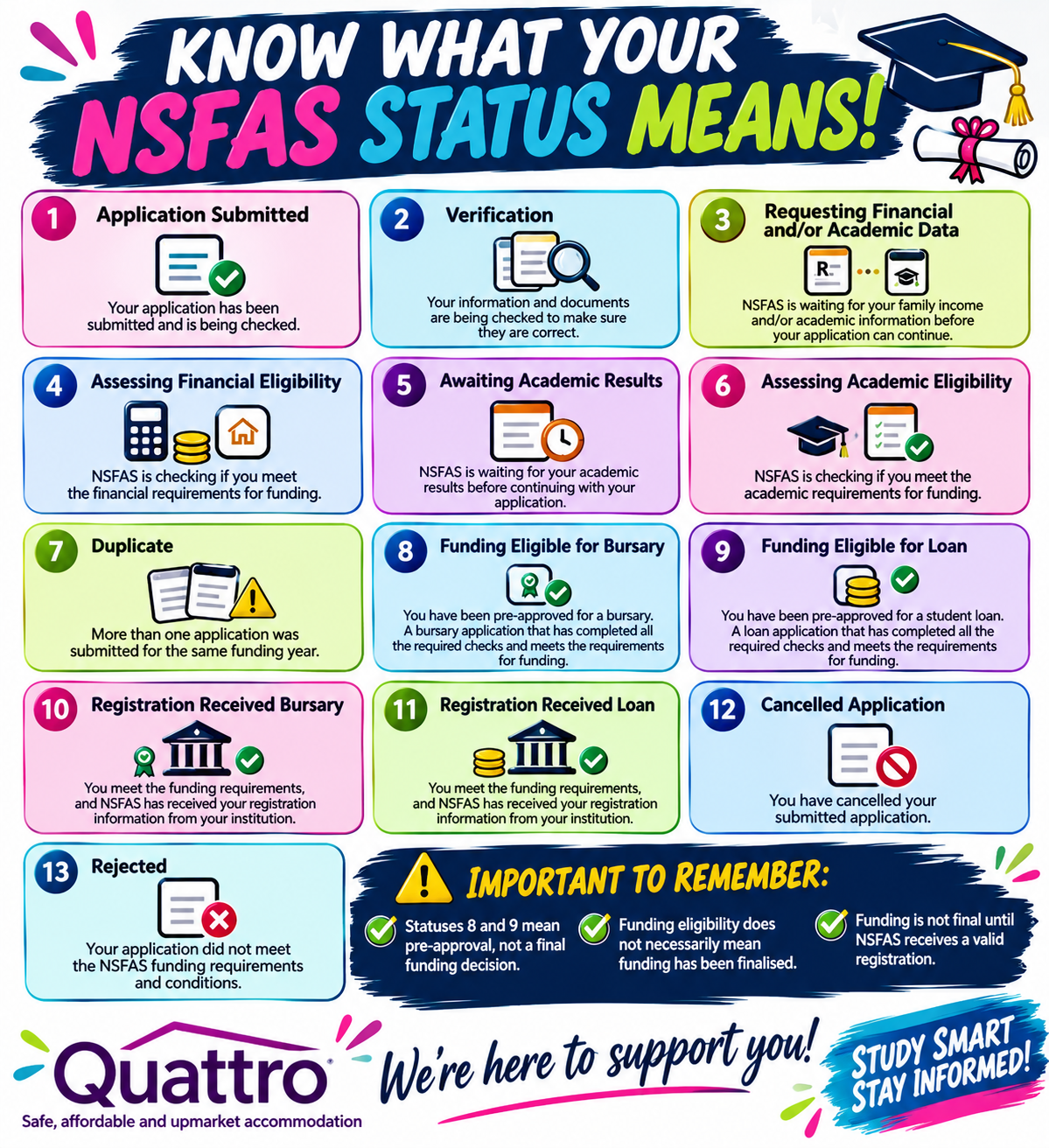
NSFAS funding for students
💬 We're here for you

Still need help?

Our team is happy to walk you through your application.

Contact Us